
Osool AI CFO
Asking financial questions in AI CFO
Examples of questions agencies can ask about collections, risks, balances, and profitability.
Product Screenshots
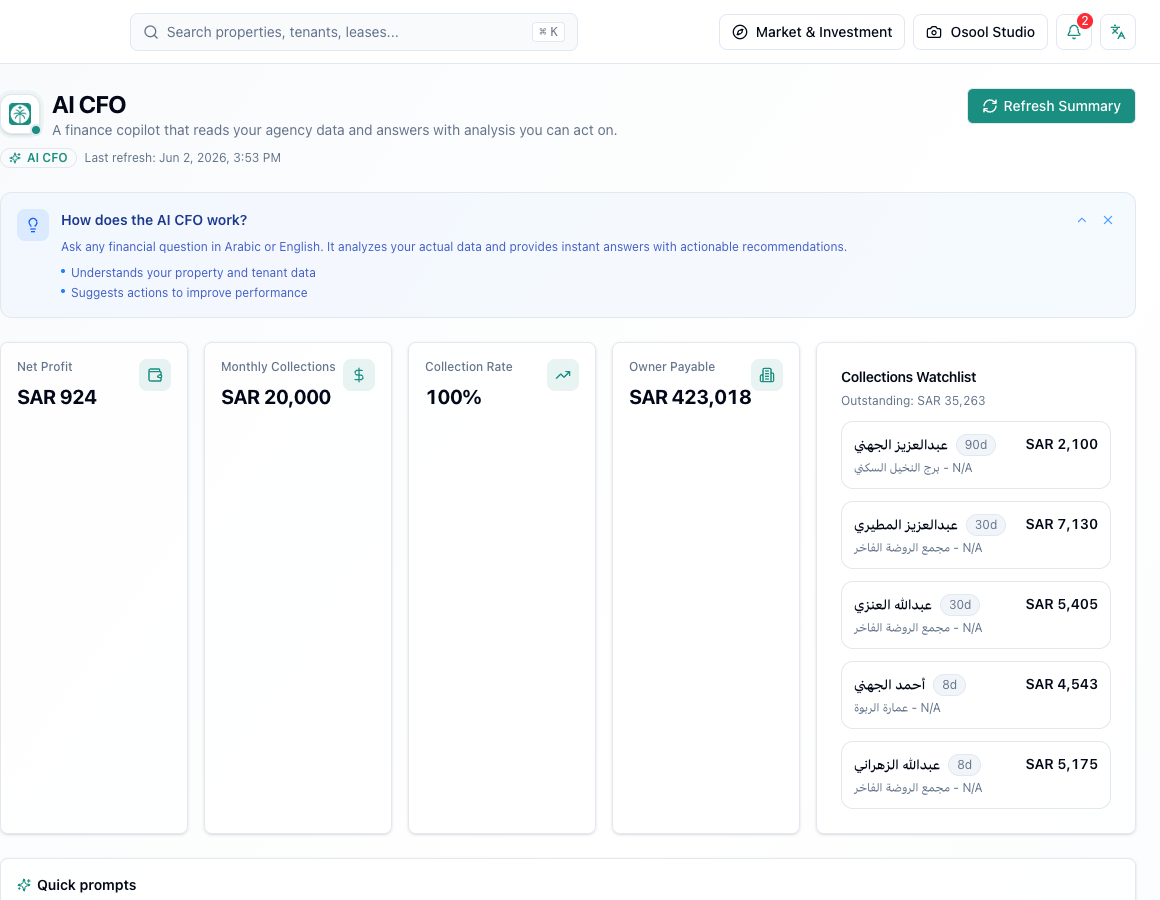
How daily usage works
Write a clear question about the agency financial position. The more specific the question, the more actionable the answer.
- What is the current collection rate?
- Which tenants have the largest overdue balances?
- What are the main financial risks this month?
- How can I improve net profit?
Reviewing answers
Use the answer as assisted analysis, then verify important numbers in collections and reporting pages before taking financial action.
Data to confirm before asking AI CFO
Every AI CFO answer depends on lease, collection, expense, and owner balance quality. If the source data is incomplete, the answer will be incomplete.
Use AI CFO for analysis, question framing, and suggested actions, then review results with a person before execution.
- Leases
- Collections
- Expenses
- Owner balances
- Cashflow
- Human review
How to apply this inside the agency
Turn the article into a small dashboard action: open the related record, review the data, make the appropriate update, then document the outcome so the rest of the team can see it.
If the action involves a financial, regulatory, owner, or tenant-impacting decision, ask the responsible role to review it before final approval.
- Open the record
- Review data
- Take action
- Document outcome
- Escalate when needed
Product status and review needed
This is documented as an available workflow, but results can still vary by user permissions, agency settings, and data quality.
If a step described here is not visible in the agency dashboard, treat it as not enabled for your account and check with your admin or Product.
Related Articles
Osool AI CFO
Cashflow, collections, and revenue visibility
How AI CFO helps read collections, overdue balances, and cashflow while some coverage remains in progress.
Read articleOsool AI CFO
Responsible usage and AI CFO limits
Practical rules for using AI analysis without treating it as the final decision.
Read articleOsool AI CFO
Read AI CFO KPIs and action drafts
How AI CFO uses profit, collections, and owner payable indicators to generate answers and action drafts that still need human review.
Read article